
Solutions — Mobile Fueling
Mobile Fueling
Automated wet-hose fuel management for fuel distributors and mobile fueling operations — built to work with the trucks, meters, and workflows you already have.
The challenge
Mobile fueling without accountability is a liability
Fuel trucks and wet-hose operations deliver fuel directly to vehicles and equipment in the field. Without a fuel management system, there's no automatic record of who received fuel, how much was dispensed, or which vehicle was served.
Sentry Mobile adds driver authorization and transaction records to existing trucks, trailers and mobile tanks. It runs on 12V DC power and controls up to two pumps, with records synchronized to the same Customer Portal as stationary systems.
Use cases
Where the Spartan Sentry Mobile is used
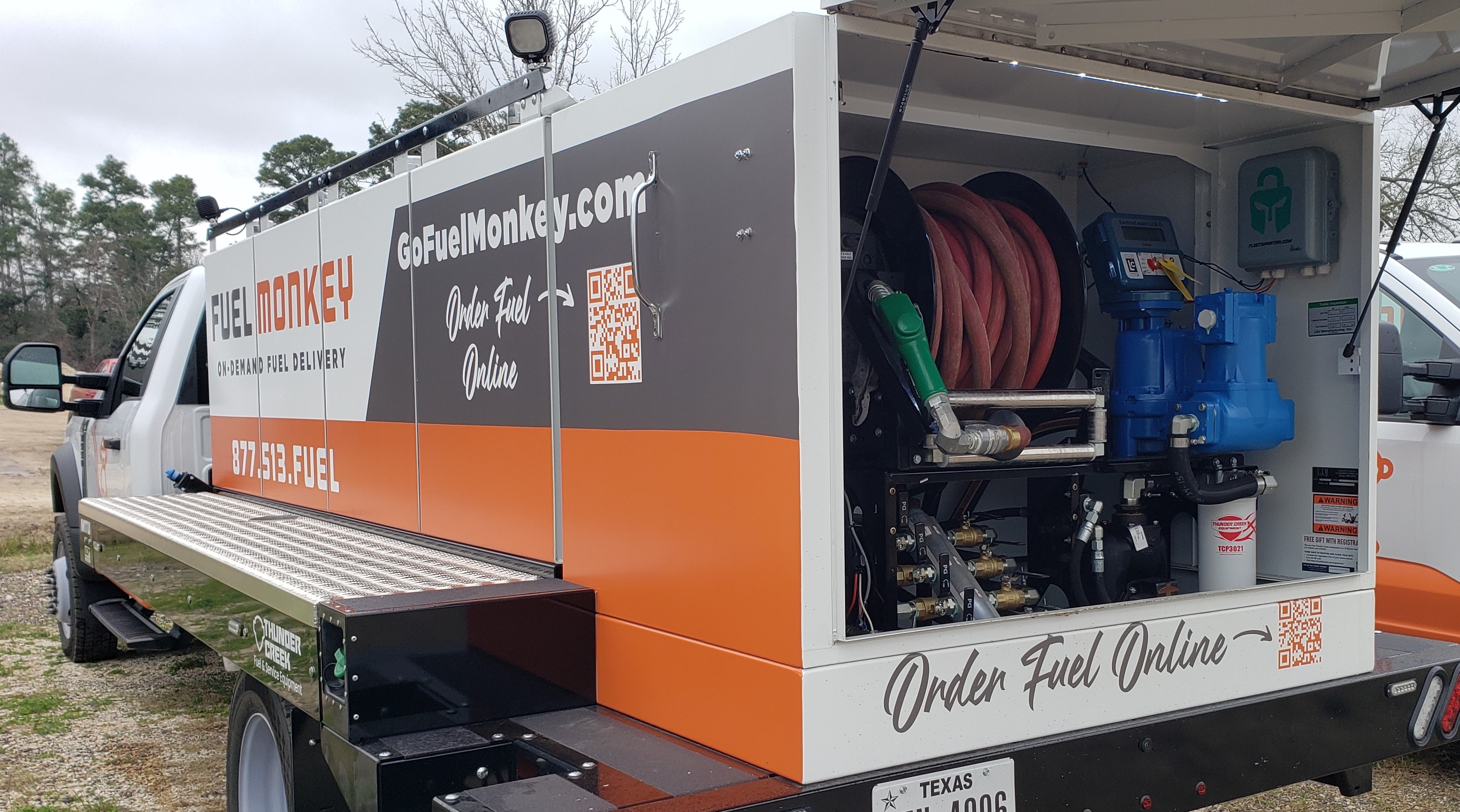
Fuel trucks
Mount the Spartan Sentry Mobile on a fuel truck for accountable wet-hose delivery to vehicles and equipment.
Wet-hose fueling
Track every wet-hose delivery — driver, vehicle served, quantity, and date — automatically.
Jobbers
Jobbers delivering fuel to customers can provide transaction records for every delivery.
Mobile tanks & trailers
Mobile fuel trailers equipped with the Spartan Sentry Mobile bring accountability to remote fueling locations.
12V DC
Powered by vehicle electrical system
Up to 2 pumps
Controls up to 2 pumps per unit
Cellular
Syncs to Portal over cellular — offline storage if service unavailable
Spartan Shield
Authorization via Spartan Shield mobile app
Driver workflow
How Mobile Fueling Works
The Spartan Shield app guides the driver through each transaction — from authorization to receipt.
Open Spartan Shield
The driver opens the Spartan Shield app on their smartphone.
Select the unit, Sentry, and tank
The driver selects the unit being fueled, the Sentry, and the tank. Unit selection can also be sped up with optional QR code scanning.
Enter odometer or engine hours
The driver enters the required vehicle or equipment information, such as odometer or engine hours, and taps Proceed.
Review and authorize
The driver reviews the transaction details on the confirmation screen and authorizes the fueling transaction. The pump turns on and fueling can begin.
Fuel is dispensed and tracked
During fueling, Spartan Shield and the Sentry track the transaction — including the unit, fuel type, gallons dispensed, Sentry, tank, and related fueling information.
Stop fueling and view the receipt
When fueling is complete, the driver stops the transaction and is shown a receipt with gallons pumped, the unit fueled, fuel type, Sentry used, tank used, and the completion date and time. The driver can then select Done or start a New Transaction.
Drivers can authorize fueling through Spartan Shield over local Bluetooth without cellular service or a phone internet connection. The Sentry stores transactions locally during an outage and automatically synchronizes them when cellular service returns.
Fleet Spartan Portal
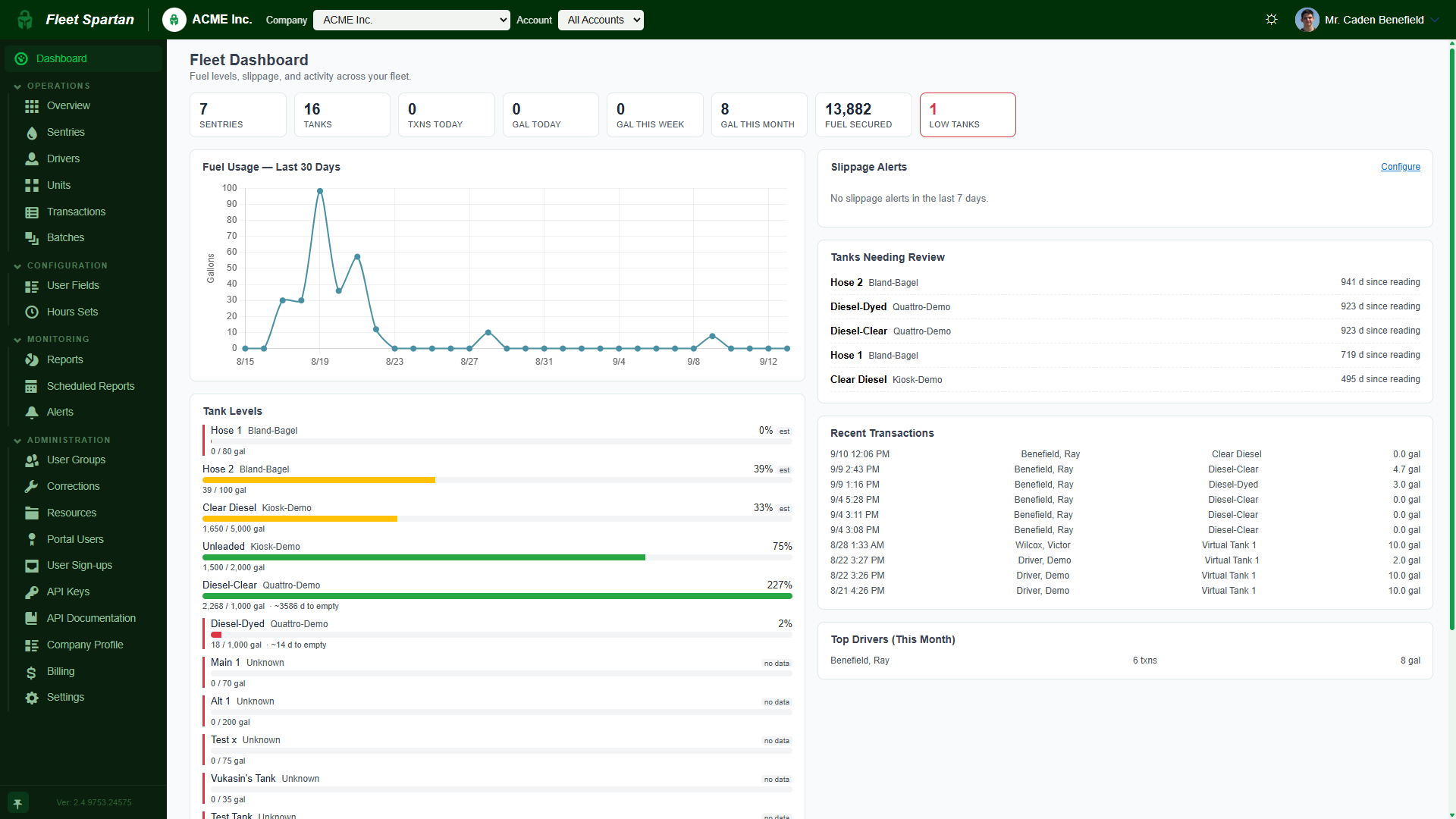
Same Portal as stationary systems
Review synchronized mobile and stationary fueling records in one Customer Portal. Records stored during a cellular outage appear after synchronization, giving your team one place to review connected operations.
- Driver and vehicle per delivery
- Quantity dispensed
- Date and time
- Accessible from any browser
The system
Spartan Sentry Mobile
12V DC powered, up to 2 pumps, cellular connectivity, Spartan Shield authorization. Designed for fuel trucks, wet-hose operations, and mobile tanks.
Accountability for every mobile fuel delivery
Contact Fleet Spartan to discuss your mobile fueling operation and get a quote.